
Laser cutting: How to create promotional materials in custom shapes
Flyers, bookmarks or postcards in any shape you want, produced quickly, precisely and without a cutting die. Here is how laser cutting works.

.gif)
.gif)

With the laser-cutting process, flyers, bookmarks, postcards and much more can be produced in virtually any desired shape, quickly, precisely and without the need for a cutting die. In this blog article, we explain exactly how the process works and the benefits it can offer you.
What is laser cutting?
Laser cutting is a precise and clean method of cutting or engraving materials using a focused beam of light. The process is widely used in industry and model making and is now also available at FLYERALARM for advertising technology and creative print products.
Benefits of laser cutting for your projects
- Maximum precision: even the most intricate designs can be produced with millimetre accuracy.
- No post-processing: edges are clean and free from fraying.
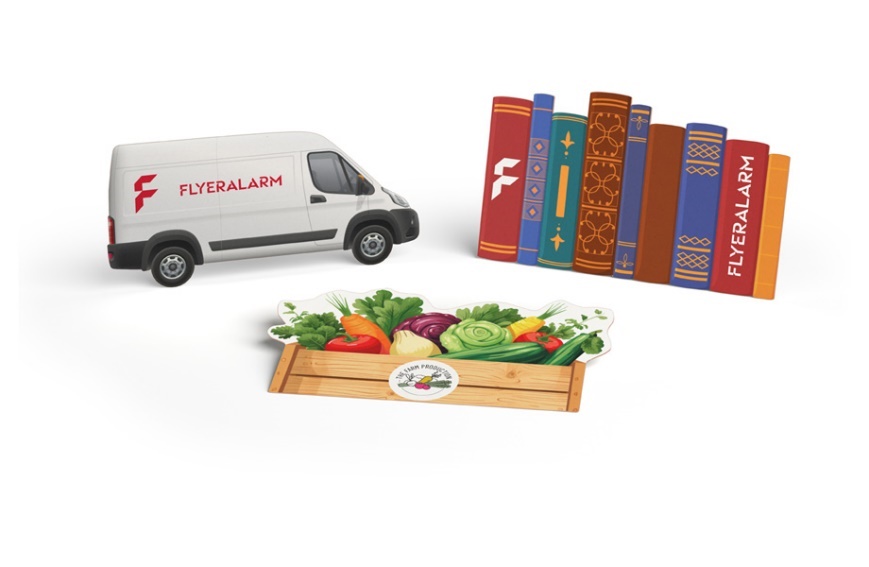
- Custom shapes: almost any contour is possible, perfect for creative ideas.
- Cost-effective: economical production with no tooling costs.
- Efficiency: fast, flexible production even for small print runs.
- Suitable for many materials: e.g. paper, corrugated cardboard, wood, acrylic, Plexiglas, textiles and metal.
What do the finished products look like?
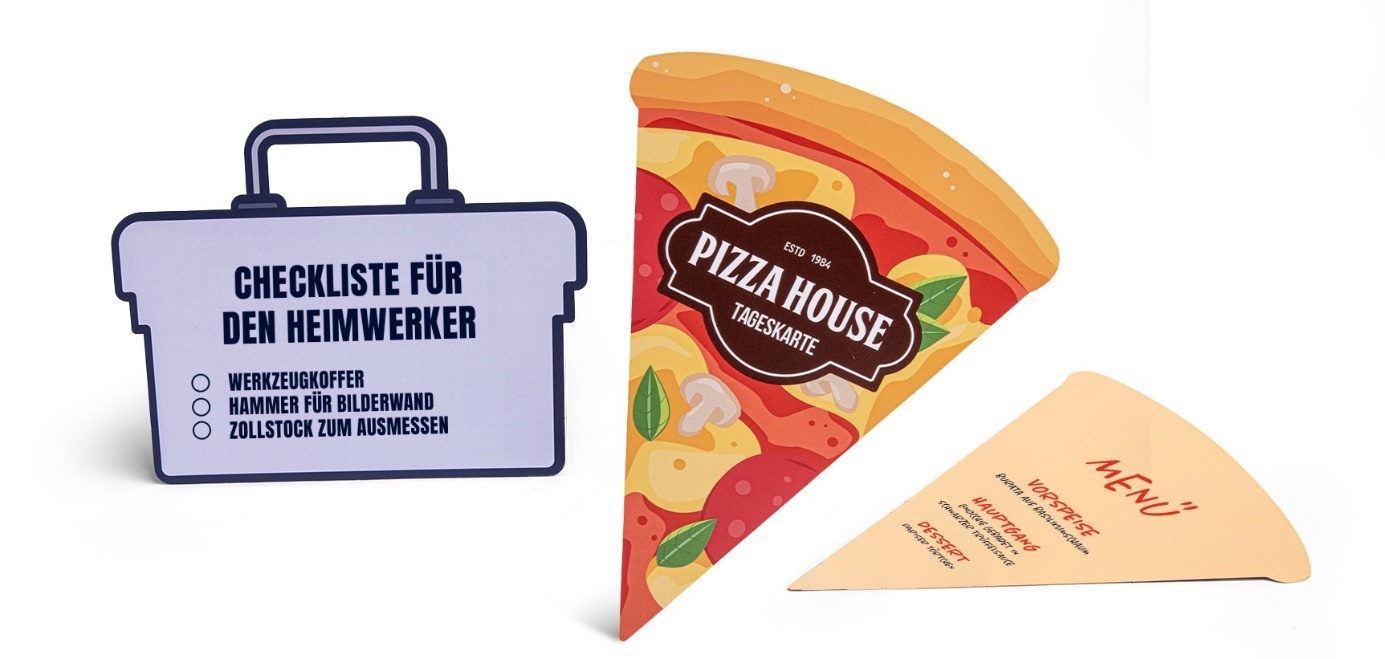
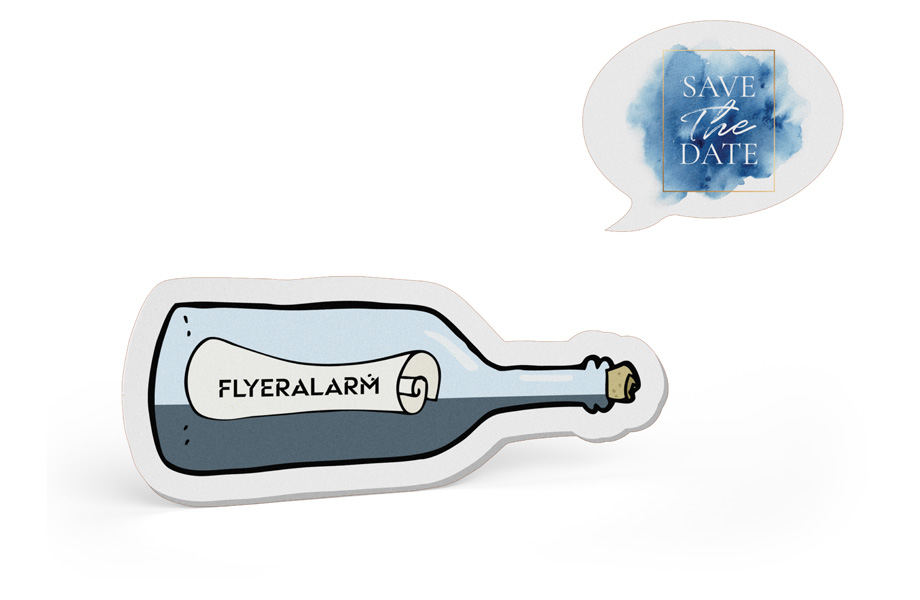
Print products with a laser-cut contour immediately catch the eye. Instead of classic rectangular shapes, they feature a custom outer contour tailored precisely to your design. The result looks distinctive, elegant and premium. Laser technology enables millimetre-accurate cuts, even for intricate shapes, ornaments or detailed patterns. The cut edges are clean and smooth, with no fraying, no shifting and no unwanted white edges, even with solid-coloured materials.
One particularly striking feature is the tactile effect. Thanks to the precisely cut contour, the product not only feels premium, but also looks significantly more exclusive than conventional promotional materials. Depending on the material and design, the result can be modern, elegant or playful, making it ideal for invitations, business cards or flyers with a genuine wow factor.
Interview with Fabian from FLYERALARM Production
At FLYERALARM, promotional materials in custom shapes can now also be produced using laser cutting. A brand-new machine, the laser die cutter, makes this possible. But what happens after you have created your print data and placed your order? How does the production process work? We asked Fabian from FLYERALARM Production.
Requirements for successful laser cutting at FLYERALARM
Doreen: Hi Fabian, thanks for taking the time to talk to us. Let’s start with the most important question: how are custom-shaped print products actually made?
Fabian: It all starts with setting up the print data correctly. Customers prepare their files, including the cut contour, exactly as they want the finished product to look, following the specifications in the data sheet. Whether it’s a star, a heart, a circle or a completely free-form shape, anything is possible. The only requirement is that the contour is set up correctly.
Doreen: What do customers need to pay attention to when preparing the file?
Fabian: The cut contour must be created in the PDF as a fifth colour channel, defined as a closed contour or path, and assigned the correct name. Only then can our system recognise and process the cut contour.
Doreen: And what happens once the correct print data reaches us?
Fabian: Our prepress department adds the additional information required for production to the print file, such as the paper size, meaning the size of the sheet.
The print file is then sent to our production site, where it enters another workflow in which the print data is prepared for the printing press and plate imaging. At the same time, the laser data, including the paper size, is separated and sent to the laser die cutter.
First, the design is printed. The sheets then pass through the laser unit, where the desired contour is cut out by the laser, apart from a few small holding tabs. The whole process is very fast and extremely precise.
Doreen: Holding tabs?
Fabian: Exactly. The holding tabs are tiny connections between your product and the carrier material. Imagine a label or a laser-cut card: to prevent it from falling out completely during laser cutting, it remains attached to the sheet by a few small holding tabs.
Doreen: I see. But how are the products removed from the sheet afterwards?
Fabian: We take care of that for our customers.
But first, the printed and laser-cut sheet is trimmed to its final format. Since several print jobs are placed on one printing sheet at FLYERALARM, they are now separated from one another and assigned to the respective orders.
After that, we detach the custom-shaped flyers, bookmarks, business cards or postcards from the material at the holding tabs, package them and ship them. Done!
Slight scorch marks? Unavoidable, but barely visible!
Doreen: The shop mentions that slight scorch marks may occur, appearing as faint brownish edges on custom-shaped promotional materials. What causes them?
Fabian: Well, that is unavoidable because of the technology. After all, we are working with a laser, a focused beam of light that generates a great deal of heat. As a result, slight scorch marks can occur. The thicker the material, the more noticeable these brownish edges may be, for example in cross-section when the finished products are stacked on top of one another.
Doreen: How visible are the scorch marks?
Fabian: Don’t worry! On most papers and materials, they are barely visible, especially if the material has been printed in colour beforehand. However, as I mentioned earlier, they cannot be completely avoided.
What advantages does FLYERALARM laser cutting offer over other methods?
Doreen: How was this done before the new laser die cutter?
Fabian: Until now, we have worked with a very similar system, but at a different location and with a different method of transporting the material. The key difference with the new system is that we now work sheet to sheet instead of roll to roll. That opens up entirely new possibilities.
Doreen: What possibilities are those?
Fabian: Custom-shaped products on rolls, such as stickers or labels, are generally made from self-adhesive papers or films – in other words, thin materials that can be rolled up easily. With the new laser die cutter, which processes printed sheets instead, we can also produce custom-shaped products from heavier materials of 300 gsm. In theory, the machine can even cut wood, metal, textiles or Plexiglas.
Doreen: Wow!
Fabian: In addition, any other process used to produce free-form products or promotional materials with a custom contour requires a cutting die to create the cut contour. These tools have to be manufactured separately and can be very expensive.
With the laser-cutting process and our laser die cutter, that isn’t necessary. The laser cuts exactly what we tell it to, namely the contour defined by the customer in the print file.
Because there are no tooling costs, we can produce custom-shaped promotional materials even in very small quantities and offer them at affordable prices.
Looking ahead: What’s next for FLYERALARM?
Doreen: Fabian, speaking purely theoretically, what else can the laser die cutter do besides the custom-shaped promotional materials we currently offer in the shop? Can you give us a glimpse of what the future might hold?
Fabian: As things stand today, we distinguish between partial cutting and full cutting – in technical terms, kiss cutting and laser cutting. A free-form or custom contour is a laser cut, meaning we cut all the way through the material. In theory, however, we can also use the laser for engraving – that would be a kiss cut. For example, we could engrave text and logos using kiss cutting without printing the material with ink beforehand. Laser cutting can also be used for perforations. Internal cut-outs are theoretically possible as well. We could produce a custom-shaped flyer in the form of a star and then laser-cut a smaller star inside it. From a production perspective, it is essentially the same process for the machine.
Doreen: Our customers can certainly look forward to seeing what else might appear in our shop in the future. Thank you for giving us an insight into production, Fabian, and keep up the good work!
Fabian: My pleasure! Take care!
Discover FLYERALARM promotional materials in custom shapes
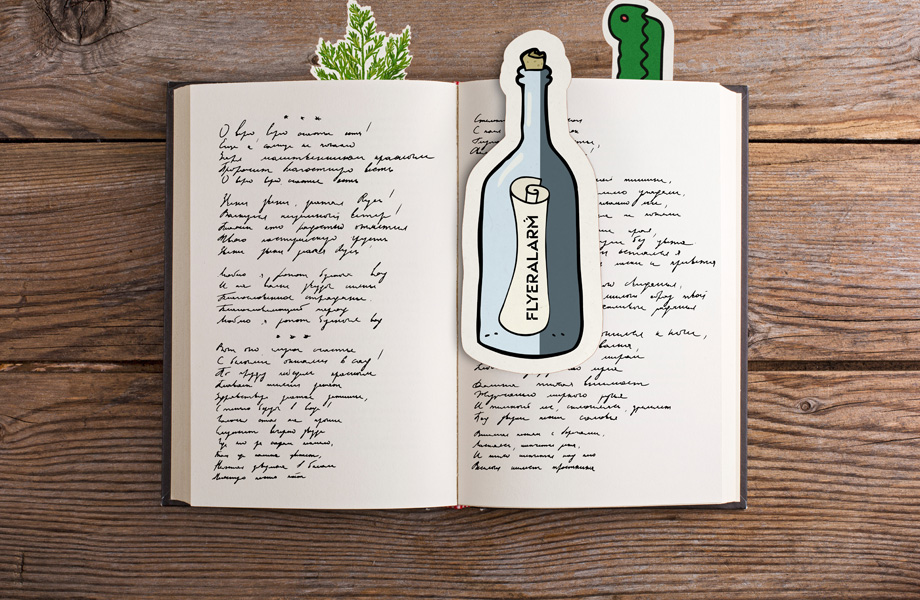
Would you like to design your promotional materials exactly the way you want them, even in a free-form shape?
Browse the selection of products with custom contours in the FLYERALARM online shop now and choose the product you want.
In the “Base price” step, you can download the corresponding data sheet free of charge, providing all the information you need to set up your print data correctly.
.gif)
.gif)
More blog posts
In-depth insights, inspiring success stories and practical tips for entrepreneurs - discover more in our other articles.
.jpg)
Social Media and Employer Branding: How to Present Yourself as an Attractive Employer
.jpg)
Measuring Success: Key Metrics for Social Media Marketing of Start-ups
.jpg)